

When Your Ecobee Sensor Stops Working, Here’s What to Do
If you need to repair ecobee sensor issues fast, here are the most common fixes:
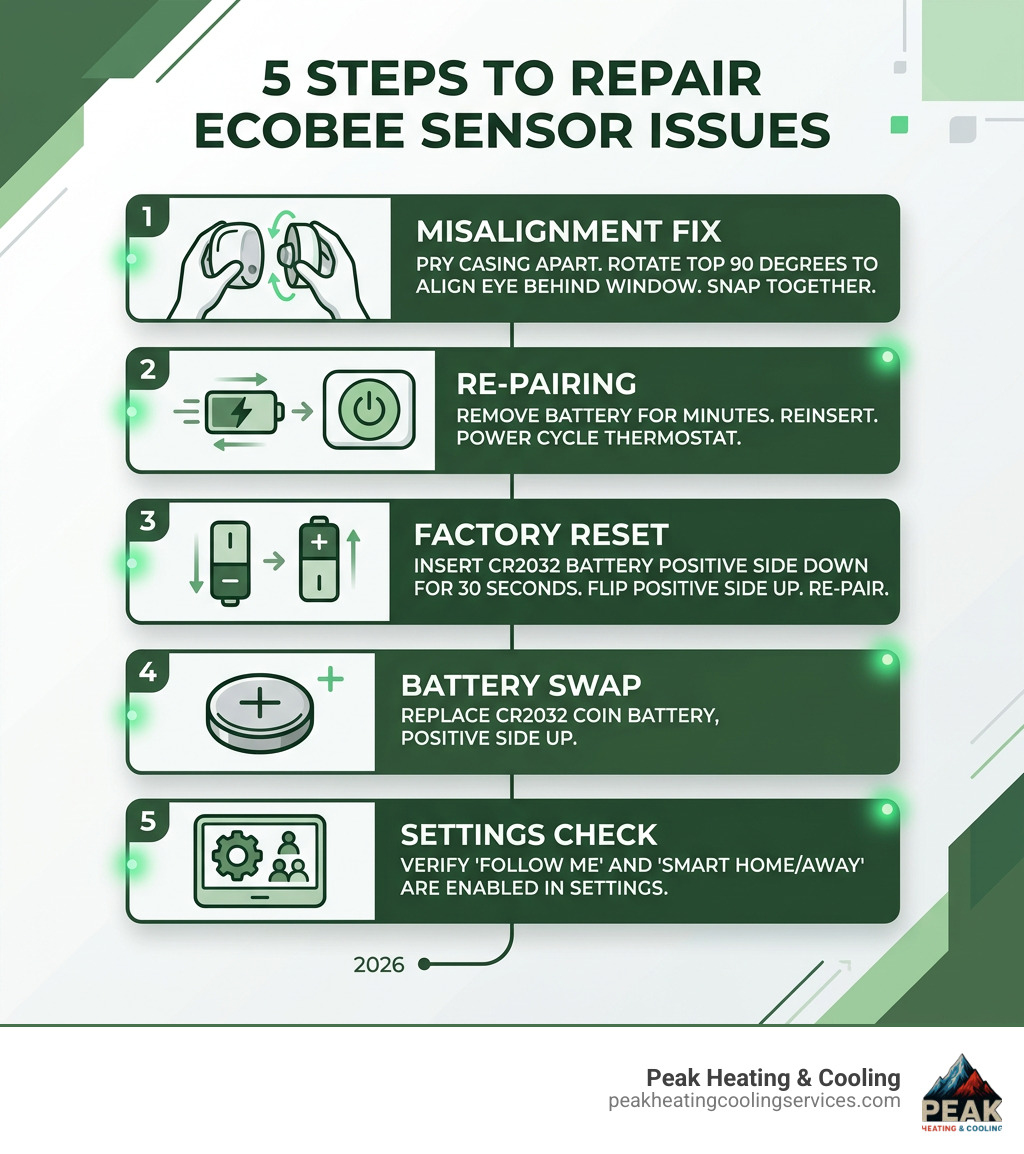
- Misaligned sensor component – Pry apart the sensor casing and rotate the top 90 degrees so the sensor eye lines up behind the window, then snap it back together.
- Won’t pair or shows “Unavailable” – Remove the battery for a few minutes, reinsert it, then power cycle your thermostat.
- Factory reset needed – Insert the CR2032 battery positive side down for 30 seconds, then flip it positive side up and re-pair.
- Dead or draining battery – Replace the CR2032 coin battery, positive side up.
- Occupancy not detected – Check that Follow Me and Smart Home/Away are enabled in your settings.
Ecobee sensors are one of the best features of a smart thermostat setup. They help balance temperatures across rooms, detect occupancy, and keep your home from heating or cooling empty spaces. For Chicagoland homeowners dealing with uneven heating in winter or hot spots in summer, these sensors can make a real difference.
But when they stop working, it’s frustrating — especially when your thermostat looks fine but a back bedroom or nursery isn’t being factored into your comfort settings at all.
The good news? Most ecobee sensor problems have simple DIY fixes. A manufacturing defect causing misaligned internal components has affected a number of recently shipped units — and multiple homeowners have reported that all their sensors were misaligned, silently breaking occupancy detection without any obvious error message.
This guide walks you through every common issue, from physical repairs to connection fixes to battery replacement, so you can get your sensors back online without a service call.
Common Issues and How to Repair Ecobee Sensor Components
When we talk about a need to repair ecobee sensor units, we are usually dealing with one of two things: a hardware defect or a communication breakdown. Many Chicagoland residents have noticed that while their sensor reports a temperature, it fails to notice when someone is actually in the room. This breaks the “Smart Away” and “Follow Me” features that make these thermostats so efficient.
Common problems include:
- Occupancy Detection Failure: The sensor stays on “Unoccupied” even when you are standing right in front of it.
- Pairing Failure: The thermostat simply won’t acknowledge the sensor during setup.
- “Unavailable” Status: The sensor was working but suddenly dropped off the network.
- Rapid Battery Drain: The battery dies within weeks instead of lasting the expected year or two.
According to Remote sensor data details, these sensors don’t show real-time motion like a security camera. Instead, they show “computed occupancy.” This means a room is considered occupied if any motion was detected in the last 30 minutes. If your sensor isn’t picking up that initial motion, the whole system fails to prioritize that room’s comfort.
Fixing a Misaligned Component to Repair Ecobee Sensor Accuracy
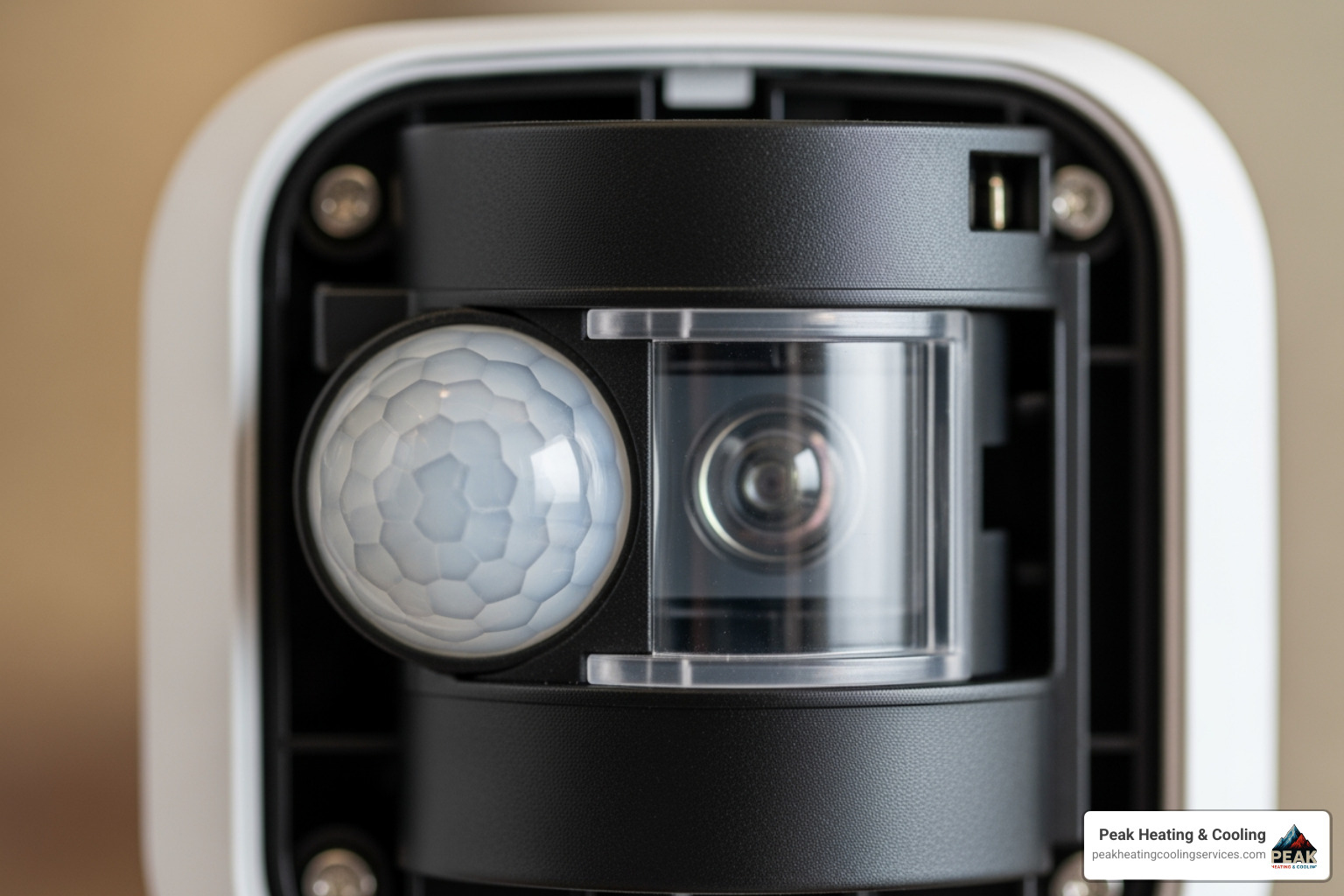
One of the most surprising reasons you might need to repair ecobee sensor hardware is a simple manufacturing oversight. A number of recently shipped devices feature a misaligned internal sensor component. Essentially, the “eye” of the sensor isn’t looking through the “window” of the plastic case.
If your sensor is reporting temperature but never detects motion, try this DIY fix:
- Pry it open: Use your fingernails or a small flat-head screwdriver to gently pop the top and bottom portions of the sensor apart.
- Check the alignment: Look at the internal circuit board. The sensor eye should be centered behind the clear window.
- Rotate and Reseat: In many defective units, the internal component is turned 90 degrees. Rotate the top portion so the eye aligns perfectly with the window.
- Snap it back: Press the two halves together until they click.
This simple adjustment has restored occupancy detection for dozens of users who thought they had “dead” sensors.
Troubleshooting Occupancy and Follow Me Features
The “Follow Me” feature is what tells your HVAC system to ignore the thermostat’s temperature and focus on the rooms where people are actually hanging out. If you’ve fixed the physical alignment but the house still has uneven heating, check your settings.
Remember the 30-minute lag: If you walk into a room, the sensor should trigger almost immediately, but it will stay “Occupied” for 30 minutes after you leave. This is by design to prevent your furnace or AC from cycling on and off every time someone walks to the kitchen for a glass of water.
Step-by-Step Guide to Fixing Connection Issues
Sometimes the hardware is fine, but the signal is lost. Ecobee sensors communicate on a 915MHz frequency band, not Wi-Fi. This is great for range, but interference from other household electronics can sometimes cause an “Unavailable” status. If you are experiencing persistent drops, it might be time to consult a professional HVAC Contractor to ensure your thermostat placement is optimal for your home’s layout.
Rebooting the Thermostat and Checking Firmware
Before you tear the sensor apart, try a system-wide refresh.
- Power Cycle: Pull the ecobee thermostat off the wall for about 60 seconds and then plug it back in. Alternatively, flip the switch at your breaker box.
- Check Firmware: Your thermostat needs the latest software to communicate effectively with newer SmartSensors. You can find your version under Menu > About. If you aren’t on the Latest firmware versions, you may need to contact support to have an update pushed to your device.
How to Factory Reset Your Room Sensor
If a reboot doesn’t work, a factory reset is the “nuclear option” for software glitches.
- Remove the back cover of the sensor.
- Take the battery out.
- The “Flip” Trick: Insert the battery back into the sensor, but with the positive (+) side facing down.
- Wait 30 seconds.
- Remove the battery again and reinsert it correctly (positive side up).
- The sensor should now be in pairing mode, ready to be added back to your thermostat.
Battery Replacement and Maintenance for SmartSensors
A low battery is the most common reason for a sensor to go offline. While these units are designed to be low-power, some older SmartSensor units had a defect causing rapid drain. If you find yourself replacing batteries every month, check the Official SmartSensor replacement program to see if your sensor qualifies for replacement.
Replacing the Battery to Repair Ecobee Sensor Power
Most ecobee sensors use a CR2032 coin cell battery. These are widely available at stores across Glenview and the North Shore.
To replace it:
- For sensors with a stand: Use a thin tool to pop the back cover off while the stand is attached.
- For sensors without a stand: Look for the small notch on the corner of the casing and pry it open.
- Installation: Slide the old battery out and slide the new one in, ensuring the positive (+) side is facing you.
For more detailed visuals on this process, you can refer to the Ecobee3 Lite battery guide.
Optimizing Sensor Placement and Participation Settings
Even a perfectly functioning sensor won’t help if it’s placed in a bad spot. We often see sensors placed in drafty hallways or directly in the sun, which gives the thermostat “false” data. For The Best HVAC Repair Winnetka Has to Offer, we always recommend placing sensors at “breathing height”—about 5 feet off the ground—in the rooms you use most, like a nursery or home office.
Understanding Status Icons and Participation
Your thermostat uses different icons to tell you what the sensors are doing. If you see a “Bee” icon, that sensor is currently participating in the active comfort setting. If you see signal bars, it’s connected. If you see a “Moon” icon, the system is in Sleep mode and may be ignoring certain sensors based on your preferences.
| Icon | Meaning |
|---|---|
| Bee | Sensor is active and participating in temperature averaging. |
| Empty Square | Sensor is connected but NOT participating in the current setting. |
| Signal Bars | Indicates the strength of the connection to the thermostat. |
| Walking Person | Occupancy detected within the last 30 minutes. |
Frequently Asked Questions about Ecobee Sensors
Why is my sensor showing “Unavailable”?
This usually means the battery is dead or the sensor is too far from the thermostat. Try moving the sensor closer to see if it reconnects. If it doesn’t, try the “battery flip” factory reset described above.
How do I know if my sensor is participating in a comfort setting?
Check your ecobee app or the thermostat screen. Go to Sensors and then Participation. You can choose which sensors are active during “Home,” “Away,” and “Sleep” modes. For example, you might want the bedroom sensor active at night but ignored during the day.
Can I use my thermostat as a motion sensor?
The thermostat itself has a built-in occupancy sensor, but like the remote units, it has a 30-minute delay. While some third-party apps can “see” this motion, it isn’t reliable for real-time triggers like turning on lights or setting off an alarm.
Conclusion
A smart thermostat is only as smart as the data it receives. Learning how to repair ecobee sensor issues—whether it’s a simple battery swap or fixing a misaligned component—helps keep your comfort settings accurate so your HVAC system isn’t working harder than it needs to.
At Peak Heating & Cooling, we’ve spent 20+ years helping Glenview and North Shore homeowners with thermostat installation and repair, emergency heating repair, and emergency AC repair when things stop working at the worst possible time. We’re a locally operated, licensed and insured HVAC contractor with a 5-star reputation built on straightforward, dependable service.
If your home still has uneven heating or your thermostat not responding after troubleshooting your sensors, it may be time for an HVAC inspection—issues like airflow problems, duct leaks, or equipment short-cycling can cause comfort swings that sensors can’t fix.
Explore our full range of Services or contact Peak Heating & Cooling to schedule service today in Glenview, Northbrook, Wilmette, Winnetka, Skokie, and Chicago’s North Side.